找到 7 篇与 github 相关的结果
-
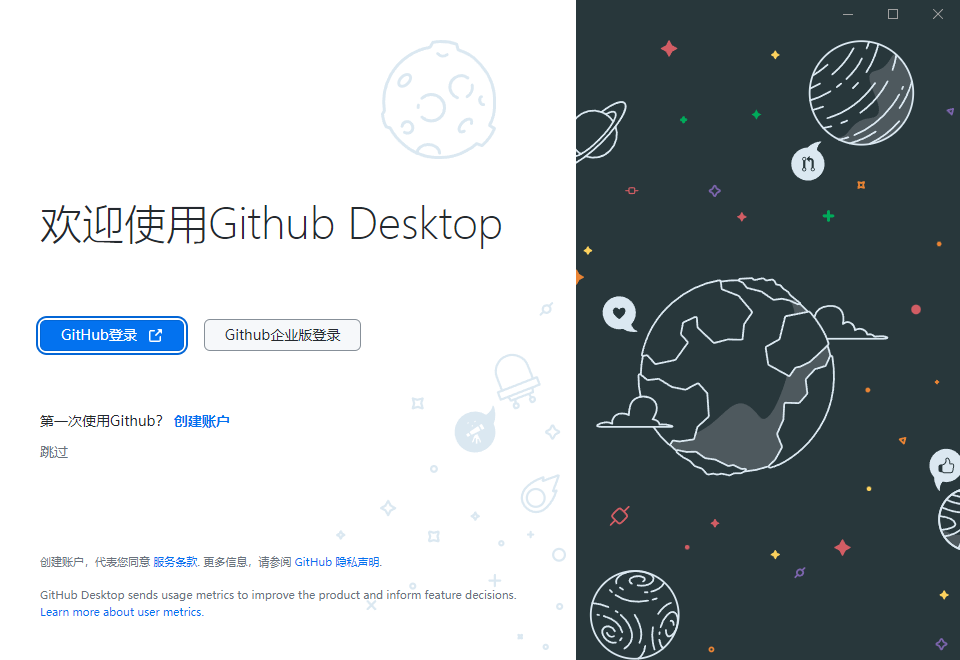
 GitHub Desktop(GitHub桌面版) v3.6.6 汉化绿色版 软件介绍 GitHub Desktop是一个用于与GitHub.com和GitHub Enterprise进行交互的桌面应用程序,它提供了更简单和更直观的方式来处理Git和GitHub工作流程。该应用程序易于学习,且支持Windows和MacOS平台。它通过可视化仓库,可以更加方便地管理代码库的版本控制和更改历史记录;还能够轻松地将本地更改提交到GitHub.com或GitHub Enterprise,或者将GitHub上的代码更新到本地代码库。 软件特点 开源免费:GitHub Desktop是一款开源软件,可免费下载和使用。 可视化操作:GitHub Desktop提供可视化的操作界面和仓库表示,可以更容易地管理、查看和比较代码。 工作流集成:能够与GitHub.com或GitHub Enterprise集成,实现更高效的代码管理和协作。 跨平台:支持Windows和MacOS两大主流操作系统,且保持平台一致性。 社区支持:借助GitHub平台的社区力量和开源项目生态系统,GitHub Desktop的功能和性能时刻得到持续改进和优化。 特点描述 github电脑版,github desktop客户端,GitHub Desktop中文汉化版 格式化JS混淆代码 (main.js,renderer.js) 汉化了%98的功能和界面 ﹂全部简体中文:包括登陆欢迎界面、软件主界面、各项菜单及提示 移除检测升级执行代码段,去关于界面的检测升级按钮及错误提示 删除检测升级程序及115MB的无用NUPKG包,免安装解压即可用 资源下载
-
metasploit-framework 绿色软件分享 推荐一个实用的开源工具——metasploit-framework。项目由rapid7开发维护,GitHub上获得了 39007 个Star。简单来说,它是一款Metasploit框架,对于站长和开发者来说是个不错的工具。 工具功能介绍 The Metasploit Framework is an open-source tool released under a BSD-style license. For detailed licensing information, refer to the COPYING file. Latest Version Access the latest version of Metasploit from the Nightly Installers page. Documentation Comprehensive documentation, including usage guides, is available at Metasploit Docs. Development Environment To set up a development environment, visit the Development Setup Guide. Bug and Feature Requests Submit bugs and feature requests via the GitHub Issues tracker. New submissions can be made through the MSF-BUGv1 form. API Documentation For information on writing modules, refer to the API Documentation. Support and Communication For questions and suggestions, you can:- Join our GitHub Discussions for community support and general questions Join the Metasploit Slack for real-time chat Submit GitHub Issues for bug reports and feature requests Follow @metasploit on X or @metasploit@infosec.exchange on Mastodon for updatesNote: Some community members may still use IRC channels and the metasploit-hackers mailing list, though the primary support channels are now GitHub Discussions and Slack. Installing Metasploit Recommended InstallationWe recommend installation with the official Metasploit installers on Linux or macOS. Metasploit is also pre-installed with Kali.For a manual setup, consult the Dev Environment Setup guide. Using MetasploitTo get started with Metasploit:1. Start msfconsole: This is the primary interface for interacting with Metasploit. Explore Resources: Visit the Using Metasploit section of the documentation. ContributingTo contribute to Metasploit:1. Setup Development Environment: Follow the instructions in the Development Setup Guide on GitHub. Clone the Repository: Obtain the source code from the official repository. Submit a Pull Request: After making changes, submit a pull request for review. Additional details can be found in the Contributing Guide. {card-default label="? 工具信息"} ? 项目地址:https://github.com/rapid7/metasploit-framework ⭐ Star数:39007 ? 开发语言:Ruby ? 项目描述:Metasploit框架 {/card-default} {cloud type="default" title="网盘下载" url="https://github.com/rapid7/metasploit-framework/archive/refs/heads/master.zip"} {cloud type="default" title="网盘下载" url="https://github.com/rapid7/metasploit-framework"} 总的来说,metasploit-framework是一个功能比较实用的开源工具,适合日常工作和学习使用。如果你正在寻找一款相关工具,不妨下载试试。使用前建议仔细阅读项目文档。
-
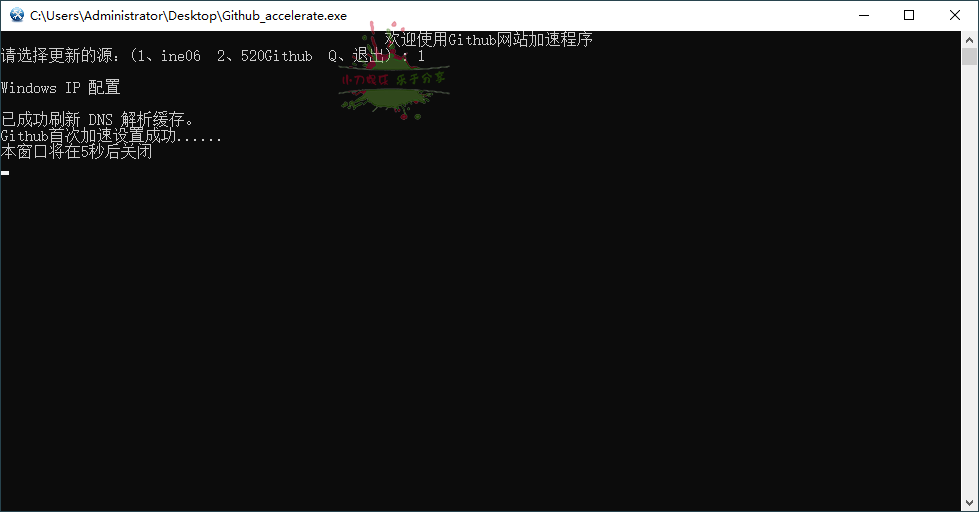
Github DNS解析加速小工具 软件介绍 GitHub是一个拥有全球大量用户的开源及私有软件项目的托管平台,因为只支持git代码仓库托管,故名GitHub。众所周知,Github由于服务器在国外,国内地区访问非常慢,本项目无需安装任何程序,通过修改本地 hosts 文件,暨从网上获取大神的已经测试好的DNS解析IP地址,该地址是经测试最快的与我们最近的Github的服务器地址。 软件Github DNS解析加速小工具 图片2Github DNS解析加速小工具 图片4 ⬇️ 下载地址 {cloud type="tianyi" title="天翼云盘" url="https://cloud.189.cn/t/6ZvYnmJNVFVb"} 下载后请先检查文件完整性,如有问题请在评论区反馈
-
网络安全工具 dirsearch 实战分享 推荐一个实用的开源工具——**dirsearch**。项目由maurosoria开发维护,GitHub上获得了 **14697** 个Star。简单来说,它是一款Web路径扫描仪,对于站长和开发者来说是个不错的工具。 # # 工具功能介绍   > An advanced web path brute-forcer**dirsearch** is being actively developed by [@maurosoria](https://twitter.com/_maurosoria) and [@shelld3v](https://twitter.com/shells3c_).Join the [Discord server](https://discord.gg/2N22ZdAJRj) to communicate with the team.## Quick Startdirsearch requires Python 3.11 or higher. sh git clone https://github.com/maurosoria/dirsearch.git --depth 1 cd dirsearch python3 dirsearch.py -u https://example.com -e php,html,js You can also install the latest Python stack directly from GitHub with pip: sh pip3 install git+https://github.com/maurosoria/dirsearch.git dirsearch -u https://example.com -e php,html,js The Rust native backend is opt-in for source installs; see [Installation](docs/installation.md) for the native build steps.Pre-built PyInstaller binaries and portable folder archives are available on the [Releases page](https://github.com/maurosoria/dirsearch/releases). ## Documentation The full documentation now lives in [`docs/`](docs/index.md):- [Installation](docs/installation.md): supported platforms, Python install, release artifacts, and Docker. - [Usage Guide](docs/usage.md): common scans, recursion, filters, proxies, raw requests, reports, and tips. - [Wordlists](docs/wordlists.md): `%EXT%`, categories, templates, prefixes, suffixes, and transformations. - [CLI Options](docs/options.md): complete command-line reference. - [Configuration](docs/configuration.md): `config.ini` reference. - [Sessions](docs/sessions.md): save, list, and resume scan sessions. - [Python API](docs/python-api.md): importable API examples. - [Building](docs/building.md): PyInstaller, portable builds, Docker s, and GitHub Actions. - [References](docs/references.md): external tutorials and articles.## Minimal Examples sh python3 dirsearch.py -u https://target python3 dirsearch.py -u https://target -e php,html,js python3 dirsearch.py -u https://target -e php,html,js -w /path/to/wordlist python3 dirsearch.py -u https://target -r --max-recursion-depth 3 Use `python3 dirsearch.py -h` for common options or `python3 dirsearch.py -hh` for the complete CLI help.## Python APIdirsearch can also be used from Python code for local automation, MCP servers, REST wrappers, and agent-controlled scans. The importable API keeps its configuration in `FuzzerConfig`, so callers do not need to parse CLI flags or mutate CLI globals.See [Python API](docs/python-api.md) for examples covering templates, custom wordlists, callbacks, authenticated sessions, and agent-oriented scan recipes.## Contributing Pull requests and feature requests are welcome. See [CONTRIBUTORS.md](CONTRIBUTORS.md) for the people who have helped improve dirsearch. ## License Copyright (C) Mauro Soria (maurosoria@gmail.com)License: GNU General Public License, version 2. {card-default label="? 工具信息" /} ? 项目地址:[https://github.com/maurosoria/dirsearch](https://github.com/maurosoria/dirsearch) ⭐ Star数:14697 ? 开发语言:Python ? 项目描述:Web路径扫描仪 {/card-default}{cloud type="default" title="网盘下载" url="https://github.com/maurosoria/dirsearch/archive/refs/heads/master.zip"} {cloud type="default" title="网盘下载" url="https://github.com/maurosoria/dirsearch"}总的来说,**dirsearch**是一个功能比较实用的开源工具,适合日常工作和学习使用。如果你正在寻找一款相关工具,不妨下载试试。使用前建议仔细阅读项目文档。
-
Git GitHub GitLab使用教程 Git GitHub GitLab使用教程 图片1 教程介绍 Git是目前世界上最优秀的版本控制系统,用以有效、高速的处理从小到大的项目版本管理。在他的基础之上,衍生出GitHub和GitLab这两个当前最流行的代码托管平台,为开发团队提供了存储、分享、发布和合作开发项目的中心化云存储的场所。 在阿里、微软、美团到互联网创业公司,都会使用Git和GitHub进行团队协作或者基于GitLab做私有的代码平台,所以掌握Git、GitHub和GitLab进行团队协作,已经成为企业对工程师的最基本要求。针对当前情况我们推出了此门课程,帮助学员系统掌握Git、GitHub和GitLab的使用方法以及高效协作的精髓,从而上手团队协作开发,成为一名优秀的团队工作者。 学习地址 百度:https://pan.baidu.com/s/1h0t7liPwSCDe3bLjd2Y-hQ 天翼:https://cloud.189.cn/t/Az6NZnuiQvyi 微云:https://share.weiyun.com/4hTWLodW UC:https://www.yun.cn/s/e3dffde04efb4792a3d635a3df25cbaf 文件信息 文件大小: 4038318843 字节 MD5: AA5775B3F3787414C32C42704C12A6CF SHA1: 4F6B9C6B86F6BA39E16BF0C08F922723E888C4E3 CRC32: 189EF7C7 下载后请先检查文件完整性,如有问题请在评论区反馈
-
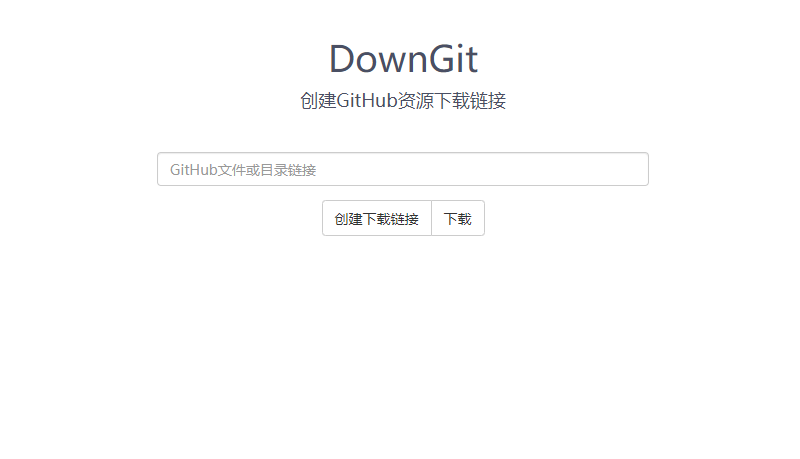
在线创建GitHub资源下载链接 源码介绍 本工具可以单独下载某个 GitHub 仓库中的文件夹,而无需将整个仓库下载下来。使用方法:打开 Github 仓库,点击进入要下载的文件夹,然后复制浏览器地址栏的地址,粘贴到上面的输入框中,点击“下载”即可。 源码在线创建GitHub资源下载链接 图片2 GitHub https://github.com/MinhasKamal/DownGit ⬇️ 下载地址 {cloud type="tianyi" title="天翼云盘" url="https://cloud.189.cn/t/6RjEbifYfQJb"} {cloud type="weiyun" title="腾讯微云" url="https://share.weiyun.com/sdUSAyZx"} {cloud type="default" title="网盘下载" url="https://shandianpan.com/f/eY1"} 下载后请先检查文件完整性,如有问题请在评论区反馈
-
油猴脚本Github镜像加速下载 GitHub是一个拥有全球大量用户的开源及私有软件项目的托管平台,因为只支持git代码仓库托管,故名GitHub。众所周知,Github由于服务器在国外,国内地区访问非常慢,下载项目通常要用代理访问。Github 镜像访问,加速下载油猴脚本,在GitHub 镜像加速下载脚本基础上,添加了一键复制,样式美化的功能。 油猴脚本Github镜像加速下载 图片1 油猴脚本Github镜像加速下载 图片3 没有油猴插件的先去官网下载:https://www.tampermonkey.net/ ⬇️ 下载地址 {cloud type="default" title="网盘下载" url="https://greasyfork.org/zh-CN/scripts/398278"} 下载后请先检查文件完整性,如有问题请在评论区反馈