找到 12 篇与 神器 相关的结果
-
 站长必备!hackingtool 效率神器分享 推荐一个实用的开源工具——**hackingtool**。项目由Z4nzu开发维护,GitHub上获得了 **79344** 个Star。简单来说,它是一款面向黑客的一体化黑客工具,对于站长和开发者来说是个不错的工具。 # # 工具功能介绍 **215 curated tools across 21 categories** — recon, OSINT, web, wireless, phishing, forensics, post-exploitation and more — with an **AI layer that turns plain English into the right tool and the exact command**.**Built for** penetration testers · red teamers · blue-team/SOC and DFIR analysts · OSINT researchers · bug-bounty hunters · CTF players · security researchers and students — all working **legally, on systems they own or are authorised to test**. ! ! ! ! ! ---## Contents- [Why hackingtool](#why-hackingtool) - [Tool Categories](#tool-categories) - [Installation](#installation) - [From source with pipx (recommended)](#from-source-with-pipx-recommended) - [For development](#for-development) - [Docker](#docker) - [Optional runtimes](#optional-runtimes) - [Quick Commands](#quick-commands) - [Command reference](#command-reference) - [Features](#features) - [? `/find` — a tool for a need you don't have yet](#-find--a-tool-for-a-need-you-dont-have-yet) - [? `/goal` — plan an objective, run it one step at a time](#-goal--plan-an-objective-run-it-one-step-at-a-time) - [? Recommendations — say what you want in plain English](#-recommendations--say-what-you-want-in-plain-english) - [? Tags and search](#-tags-and-search) - [▶ Background panes (tmux)](#-background-panes-tmux) - [⚙ Settings and the AI layer](#-settings-and-the-ai-layer) - [? Headless engagements](#-headless-engagements) - [Documentation](#documentation) - [Contributing](#contributing) - [Support & Sponsor](#support--sponsor) - [Social](#social)---## Why hackingtool- **? AI-guided workflow** — describe what you want ("find subdomains of example.com") and it maps your intent to the right tools, hands you the exact documented command, plans an objective step by step, then summarizes findings and drafts an engagement report. Bring your own key or run a local model — nothing auto-executes and nothing is fabricated. - **? 215 curated tools, one console** — install and run across 21 categories without hunting down Git repos; a fixed tag taxonomy (63 tags in use) makes every tool discoverable. - **? It knows what it doesn't have** — `/find` searches your catalog first, then the GitHub API, and shows real maintained projects with the reason each was ranked. - **? Safe by default** — standard installs, **no `curl | bash`**, downloads pinned + SHA-256 verified, list-form `subprocess`, no forced `sudo`, and [signed releases with an SBOM](SECURITY.md#verifying-a-release). - **? For the whole spectrum** — red team, blue team, OSINT, bug bounty, CTF/THM, forensics/IR — all on **authorized targets only**.The console on launch — live system readout, and / opens the command palette. ---## Tool Categories**215 tools across 21 categories** — the full list, with links and tags, is in **[docs/TOOLS.md](docs/TOOLS.md)**.| # | Category | Tools | | # | Category | Tools | |:---:|---|:---:|---|:---:|---|:---:| | 1 | ? [Anonymously Hiding Tools](docs/TOOLS.md#-anonymously-hiding-tools) | 5 | | 12 | ? [Reverse engineering tools](docs/TOOLS.md#-reverse-engineering-tools) | 10 | | 2 | ? [Information gathering tools](docs/TOOLS.md#-information-gathering-tools) | 26 | | 13 | ⚡ [DDOS Attack Tools](docs/TOOLS.md#-ddos-attack-tools) | 7 | | 3 | ? [Wordlist Generator](docs/TOOLS.md#-wordlist-generator) | 8 | | 14 | ? [Remote Administrator Tools (RAT)](docs/TOOLS.md#-remote-administrator-tools-rat) | 4 | | 4 | ? [Wireless attack tools](docs/TOOLS.md#-wireless-attack-tools) | 17 | | 15 | ? [XSS Attack Tools](docs/TOOLS.md#-xss-attack-tools) | 6 | | 5 | ? [SQL Injection Tools](docs/TOOLS.md#-sql-injection-tools) | 7 | | 16 | ? [Steganography Tools](docs/TOOLS.md#-steganography-tools) | 10 | | 6 | ? [Phishing attack tools](docs/TOOLS.md#-phishing-attack-tools) | 13 | | 17 | ? [Active Directory Tools](docs/TOOLS.md#-active-directory-tools) | 10 | | 7 | ? [Web Attack tools](docs/TOOLS.md#-web-attack-tools) | 23 | | 18 | ☁ [Cloud Security Tools](docs/TOOLS.md#-cloud-security-tools) | 7 | | 8 | ? [Post exploitation tools](docs/TOOLS.md#-post-exploitation-tools) | 15 | | 19 | ? [Mobile Security Tools](docs/TOOLS.md#-mobile-security-tools) | 6 | | 9 | ? [Forensic tools](docs/TOOLS.md#-forensic-tools) | 12 | | 20 | ✨ [Other tools](docs/TOOLS.md#-other-tools) | 10 | | 10 | ? [Payload creation tools](docs/TOOLS.md#-payload-creation-tools) | 6 | | 21 | ? [Password / Hash Cracking](docs/TOOLS.md#-password--hash-cracking) | 7 | | 11 | ? [Exploit framework](docs/TOOLS.md#-exploit-framework) | 6 | | | | |59 further entries are archived (unmaintained or dead upstream) and hidden unless you set `show_archived true` via `/config`. The in-app header counts 22 categories / 217 tools because it also counts the built-in Update / Uninstall menu.---## Installation Requires **Python 3.10+** on **Linux or macOS** (Kali, Parrot, Debian/Ubuntu, Arch, …). Windows is not supported — the app tells you so and exits. No `curl | bash`: every path below is a standard, verifiable install.### From source with pipx (recommended)[pipx](https://pipx.pypa.io) installs hackingtool into its own isolated environment and puts the `hackingtool` command on your PATH, so you can launch it from any directory. bash # 1 — get the code git clone https://github.com/Z4nzu/hackingtool.git cd hackingtool # 2 — install it onto your PATH (isolated venv, no system Python touched) pipx install . # 3 — run it from anywhere hackingtool No pipx yet? bash # macOS brew install pipx && pipx ensurepath # Debian / Ubuntu / Kali sudo apt install pipx && pipx ensurepath Open a new shell after `pipx ensurepath` so the PATH change takes effect. To update later: `git pull && pipx install . --force`. To remove it: `pipx uninstall hackingtool`. Alternative: uv tool install . (same result, uses uv instead of pipx) bash git clone https://github.com/Z4nzu/hackingtool.git cd hackingtool uv tool install . # installs the `hackingtool` executable on your PATH hackingtool Alternative: plain venv + pip (no PATH changes) bash git clone https://github.com/Z4nzu/hackingtool.git cd hackingtool python3 -m venv .venv && . .venv/bin/activate pip install . # or: pip install -e . for an editable dev install hackingtool The command is only on your PATH while that venv is activated. ### For development[uv](https://docs.astral.sh/uv/) creates the virtualenv and installs everything from `pyproject.toml` / `uv.lock` in one step: bash git clone https://github.com/Z4nzu/hackingtool.git cd hackingtool uv sync uv run hackingtool No uv yet? `pipx install uv` (or see the [uv install docs](https://docs.astral.sh/uv/getting-started/installation/)).**Contributing?** `make setup` wires the pre-push hook and `make check` runs the full gate (lint + tests + catalog validation). See [CONTRIBUTING.md](CONTRIBUTING.md).### Docker Pull and run the published : bash docker run -it --rm hardikzinzu/hackingtool:latest Or build it locally from a checkout: bash git clone https://github.com/Z4nzu/hackingtool.git && cd hackingtool docker build -t hackingtool . docker run -it --rm hackingtool ### Optional runtimesSome individual tools need a language runtime to install/run; the core app doesn't.| Dependency | Version | Needed for | |---|---|---| | Go | 1.21+ | nuclei, ffuf, amass, httpx, katana, dalfox, gobuster, subfinder | | Ruby | any | haiti, evil-winrm | | tmux | any | background panes (`/run … &`, `/panes`, `/attach`) | | Docker | any | Mythic, MobSF (optional) |---## Quick CommandsLaunch `hackingtool` and type. There are only three kinds of input:| You type | It means | Example | |---|---|---| | `/…` | a command you run | `/search subdomain` | | `@…` | a thing you name | `@nmap`, `@tag:osint` | | anything else | plain English "what I want to do" | `crack a wifi handshake` |@ completes tool names — @tag: completes tags, / completes commands. ### Command reference| Command | Aliases | What it does | |---|---|---| | `/run [args] [&]` | `/open` | open a tool's menu; with a trailing `&` it runs in a background tmux pane instead (that's where `args` are used) | | `/search ` | | search tools by name, description or tag | | `/tags` | | list every tag with its tool count | | `/ai ` | `/recommend`, `/r` | recommend tools for a goal | | `/goal ` | | AI-plan an objective and run it step by step, with per-step confirmation | | `/find ` | `/discover` | find tools for a need — your catalog first, then GitHub (suggest-only) | | `/panes` | `/jobs` | list background panes | | `/attach` | | attach to the background session (`Ctrl-b` `d` to return) | | `/kill ` | | kill one background pane, or all of them | | `/config [key value]` | | view/change settings; `/config test` checks the AI connection, `/config github` checks the GitHub token | | `/skill` | | show the operator playbook | | `/update` · `/uninstall` | `/remove` | update system packages or hackingtool · remove hackingtool and its tools | | `/clear` | `/cls` | clear the screen | | `/back` | `/b` | leave the current tool and go back | | `/help` | `/?`, `/h` | quick reference card | | `/quit` | `/q`, `/exit` | exit (also `q`, `Ctrl-C`, `Ctrl-D`) | | `@` | | open a tool (case-insensitive, fuzzy fallback) | | `@tag:` | | list and k from the tools carrying that tag |Inside a category: `1–N` k a tool · `97` install everything not yet installed · `98` archived tools · `99` back. Inside a tool: `1` install · `2` run · `c` ask for the exact command for your goal · `98` project page · `99` back./help — the same card, in the app. On a non-interactive terminal (or without `prompt_toolkit`) hackingtool falls back to the classic numbered menu, where `/` or `s` searches, `t` filters by tag, `r` or `a` recommends, `?` helps and `q` quits. Force it with `hackingtool --classic`.> **New here?** [docs/HOW-TO-USE.md](docs/HOW-TO-USE.md) walks through each of these > start to finish with numbered steps.---## Features ### ? `/find` — a tool for a need you don't have yetSearches the 215 curated tools first, then the GitHub search API, and ranks the results explainably. **Suggest-only** — it never clones, installs or runs anything — and it makes **zero model calls**./find crack a wpa handshakeIn your toolbox (vetted) • aircrack-ng (WiFi security suite) • Kismet (wireless detector / WIDS) • Reaver (WPS PIN attack) • WiGLE (wardriving map & API) • hashcat example hashes (WPA mode 22000)Found on GitHub — NOT vetted by uswifiphisher/wifiphisher 14713★ GPL-3.0 The Rogue Access Point Framework 14713★ · trusted author (ships in our catalog) · active · matches: security, wifi git clone https://github.com/wifiphisher/wifiphisher … Press `a` to keep a result: it is saved to `~/.hackingtool/found.yaml` as a "Discovered tools" entry — title, tags, description, link, and **no install or run command**, so a discovered entry can never execute anything. It shows up in your menu and in `/search` next launch.Out-of-scope asks (jamming, DoS, mass-targeting, malware) are refused **before any network call**, with an authorized alternative where one exists. Defensive/DFIR phrasing is never refused.Works anonymously at 10 GitHub searches/minute; a **no-scope, no-permission** token raises that to 30 — see [`/config github`](docs/HOW-TO-USE.md#7-add-a-github-token-for-find-config-github).### ? `/goal` — plan an objective, run it one step at a time /goal find live subdomains of example.com hackingtool drafts a short plan of real commands (with the reason for each step and an install hint for tools you don't have), asks you to confirm you are **authorized** to test the target, then walks the steps: `[y]` run · `[s]` skip · `[e]` edit · `[q]` abort. Every step runs list-form — never through a shell — and each goal gets a timestamped workspace under `~/.hackingtool/goals/` holding `plan.json`, a UTC-stamped `run.log`, and the raw output of each step.The model is called **once**, for planning; tool output is never fed back to it. With no model configured, `/goal` degrades to tool recommendations for the same objective.### ? Recommendations — say what you want in plain EnglishBare text (or `/ai`) maps intent to tools. The model may only return tags from the fixed taxonomy, and the catalog resolves tags → tools, so a tool can never be invented; with no model reachable a stdlib keyword matcher answers instead./ai — k one of the common tasks, or type the job in your own words. ### ? Tags and search`/tags` prints every tag in use with its live tool count; `@tag:` opens the tools carrying it; `/search ` matches names, descriptions and tags. /tags — 63 tags in use, with the number of tools behind each. ### ▶ Background panes (tmux)Long scans shouldn't block your console. With tmux installed, `/run … &` opens a labeled window in one detached `hackingtool` session: /run nmap -sV -oA scan 10.0.0.5 & ▶ started 'nmap' in background — /attach to view ` /panes` lists them, `/attach` watches one (`Ctrl-b` `d` to come back), `/kill ` or `/kill all` stops them, and the status line under the prompt shows `▶ N running`. No tmux? It says so and opens the tool inline instead; disable it entirely with `/config background_runner off`.### ⚙ Settings and the AI layer`/config` opens a full-screen settings editor (`↑↓` move, `←→` change, `Enter` edit, `t` test the connection, `Esc` close); `/config ` sets one key from the prompt. Settings live in `~/.hackingtool/config.json`.The AI layer is **opt-in and bring-your-own-key**: an OpenAI-compatible endpoint when `ai_base_url` + an API key are set, else a local [Ollama](https://ollama.com), else nothing — every feature degrades to a deterministic offline behaviour instead of guessing. Your API key is written only to `~/.hackingtool/.env` (mode 600), never to `config.json`, and never printed back. `/config test` reports the real failure if a probe fails.### ? Headless engagementsThe same catalog drives a non-interactive orchestrator that normalizes tool output into one `findings.json`: bash hackingtool --engagement acme --targets example.com --pipeline recon hackingtool --engagement acme --report # deterministic Markdown report hackingtool --engagement acme --ai-summary # opt-in triage of the REAL findings hackingtool --engagement acme --ai-report # opt-in narrative draft (report.draft.md) Out-of-scope targets are flagged and logged before anything runs, and the AI passes only ever summarize findings that exist.---## Documentation... {card-default label="? 工具信息" /} ? 项目地址:[https://github.com/Z4nzu/hackingtool](https://github.com/Z4nzu/hackingtool) ⭐ Star数:79344 ? 开发语言:Python ? 项目描述:面向黑客的一体化黑客工具 {/card-default}{cloud type="default" title="网盘下载" url="https://github.com/Z4nzu/hackingtool/archive/refs/heads/master.zip"} {cloud type="default" title="网盘下载" url="https://github.com/Z4nzu/hackingtool"}总的来说,**hackingtool**是一个功能比较实用的开源工具,适合日常工作和学习使用。如果你正在寻找一款相关工具,不妨下载试试。使用前建议仔细阅读项目文档。
-
GhostTrack - 一款值得收藏的神器 推荐一个实用的开源工具——**GhostTrack**。项目由HunxByts开发维护,GitHub上获得了 **15019** 个Star。简单来说,它是一款跟踪位置或,对于站长和开发者来说是个不错的工具。 # # 工具功能介绍 Useful tool to track location or mobile number, so this tool can be called osint or also information gatheringNew update : Version 2.2 ### Instalation on Linux (deb) sudo apt-get install git sudo apt-get install python3 ### Instalation on Termux pkg install git pkg install python3 ### Usage Tool git clone https://github.com/HunxByts/GhostTrack.git cd GhostTrack pip3 install -r requirements.txt python3 GhostTR.py Display on the menu IP Tracker on the IP Track menu, you can combo with the seeker tool to get the target IP :zap: Install Seeker : - Get Seeker Display on the menu Phone Tracker on this menu you can search for information from the target phone numberDisplay on the menu Username Tracker on this menu you can search for information from the target username on social media :zap: Author : - HunxByts{card-default label="? 工具信息" /} ? 项目地址:[https://github.com/HunxByts/GhostTrack](https://github.com/HunxByts/GhostTrack) ⭐ Star数:15019 ? 开发语言:Python ? 项目描述:跟踪位置或 {/card-default}{cloud type="default" title="网盘下载" url="https://github.com/HunxByts/GhostTrack/archive/refs/heads/main.zip"} {cloud type="default" title="网盘下载" url="https://github.com/HunxByts/GhostTrack"}总的来说,**GhostTrack**是一个功能比较实用的开源工具,适合日常工作和学习使用。如果你正在寻找一款相关工具,不妨下载试试。使用前建议仔细阅读项目文档。
-
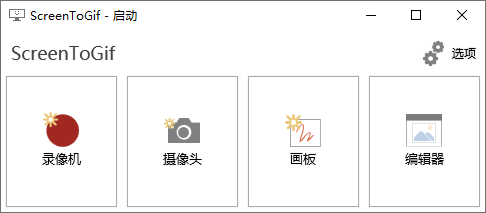
GIF神器ScreenToGif v2.43.0 软件介绍 ScreenToGif是最好用的免费开源Gif动画录制工具。小巧原生单执行文件,功能很实用,它有录制屏幕、录制摄像头、录制画板、图像编辑器等功能,可以将屏幕任何区域及操作过程录制成GIF格式的动态图像,保存前还可对GIF图像编辑优化。支持自定义增减重复帧数、调整循环播放次数、调整播放速度及删除重复帧。 软件GIF神器ScreenToGif v2.43.0 图片2 GIF神器ScreenToGif v2.43.0 图片4 版本特点 原版绿色单文件,但启动会在当前位置生成ScreenToGif\Logs日志文件夹; 重编译了杜绝联网检测升级,禁止当前生成日志文件夹ScreenToGif\Logs。 https://github.com/NickeManarin/ScreenToGif ⬇️ 下载地址 {cloud type="tianyi" title="天翼云盘" url="https://cloud.189.cn/t/6Znqme7BNrqy(访问码:gtg1)"} 下载后请先检查文件完整性,如有问题请在评论区反馈
-
公文写作神器v2.8.1.20绿化版 软件介绍 这是一款相当出色的文案工作者专用写作工具,公文写作神器最新版功能强劲,能够帮助用户轻松快速地进行文章写作,公文写作神器软件操作界面十分的简洁,便捷好用,提供了范文、提纲、金句查询等功能,能够帮你大幅提高写作效率。 软件公文写作神器v2.8.1.20绿化版 图片2公文写作神器v2.8.1.20绿化版 图片4 版本特点 by FleTime 去强制更新 去所有广告 ⬇️ 下载地址 {cloud type="tianyi" title="天翼云盘" url="https://cloud.189.cn/t/Y7NFRrb2QvAb"} 下载后请先检查文件完整性,如有问题请在评论区反馈
-
苹果手机解锁神器PassFab PassFab iPhone解锁器可绕过iPhone和iPad的密码,在使用iPhone和iPad上忘记密码时,或者您不知道二手iOS设备上的密码,则可以轻松使用它删除Apple ID和锁定的屏幕。 苹果手机解锁神器PassFab 图片1 苹果手机解锁神器PassFab 图片3 老外价值35.95美刀的iphone解锁密码神器,该版本是老毛子的破解版,无需注册即可使用,安装后替换crack文件到软件根目录即可。 官网主页:https://www.passfab.com/ 支持的型号和系统: iPhone: iPhone XR,iPhone XS Max,iPhone XS,iPhone X,iPhone 8/8 Plus,iPhone 7/7 Plus,iPhone SE,iPhone 6s / 6s Plus等。 iOS系统: iPadOS,iOS 13 beta,iOS 12.3 / 12, iOS 11.4 / 11等。 iPad: iPad Pro,iPad Air 2,iPad Air,iPad mini 4 /3/ 2,iPad mini,iPad 4(带有Retina显示屏的iPad),iPad 3(新iPad),iPad 2 iPad iTunes: iTunes 12.9,iTunes 12.8 / 12.7等。 iPod: iPod touch(包括iPod touch 6G,5G,4G),iPod Nano,iPod shuffle和iPod classic 计算机: Windows 10、8.1、8、7,Vista,XP(32位/ 64位); macOS 10.15 Catalina,10.14 Mojave,10.13 High Sierra,10.12 Sierra及以下 ⬇️ 下载地址 {cloud type="default" title="网盘下载" url="https://72k.us/file/23616629-433626229"} {cloud type="weiyun" title="腾讯微云" url="https://share.weiyun.com/5zIDYjB"} 下载后请先检查文件完整性,如有问题请在评论区反馈
-
ImageGlass看图神器v9.3.0.514 软件介绍 Glass是一款Windows下的开源轻量级看图工具,包含基本的看图功能以及一个现代化界面。支持包括SVG、HEIC、WebP和RAW在内的70多种图片格式。尤其是Win10自带的图片软件无法支持HEIC格式,导致苹果手机传过来的图片无法打开。 软件ImageGlass看图神器v9.3.0.514 图片4ImageGlass看图神器v9.3.0.514 图片6 ImageGlass看图神器v9.3.0.514 图片8 更新日志 github.com/d2phap/Glass 软件特点 1、完全免费、体积小巧。 2、和windows默认图片查看器相同的操作方式和界面。任何人都可以快速上手。 3、可以启用缩略图。缩略图会显示同一路径下的其他图片。从而可以更快的找到自己需要的图片。但软件No1在测试的时候发现缩略图模式并不好用,希望作者在接下来的版本中改进它。 4、带有图片格式转换功能。利用这个软件,你可以把图片转换成不同的格式。 ⬇️ 下载地址 {cloud type="tianyi" title="天翼云盘" url="https://cloud.189.cn/t/MbAbaivym6fy(访问码:k97w)"} 下载后请先检查文件完整性,如有问题请在评论区反馈
-
种子搜索神器v20.3.2特别版 种子搜索神器是一款能够在线搜索磁力资源,包括全网任何种子磁力链资源,搜索最新最全的影视资源,初次打开时需要更新网络资源库,直接到软件界面出来了再搜索即可! 种子搜索神器v20.3.2特别版 图片1 本版特点 新增热搜关键词 新增[关于·更新]入口 更新资源获取规则 更新在线播放资源获取规则 更新资源库更新规则 更新在线播放默认解析接口 更新赞助排行榜显示窗 更新时间显示格式 更新文件大小单位 更新部分提示信息 精简大部分代码 (如需使用默认接口,请删除C盘根目录或软件同一目录下的“BtResourceSearch/AnalysisApi.ryx”文件) ⬇️ 下载地址 {cloud type="default" title="网盘下载" url="https://72k.us/dir/23616629-37677370-f7b4d6"} 下载后请先检查文件完整性,如有问题请在评论区反馈
-
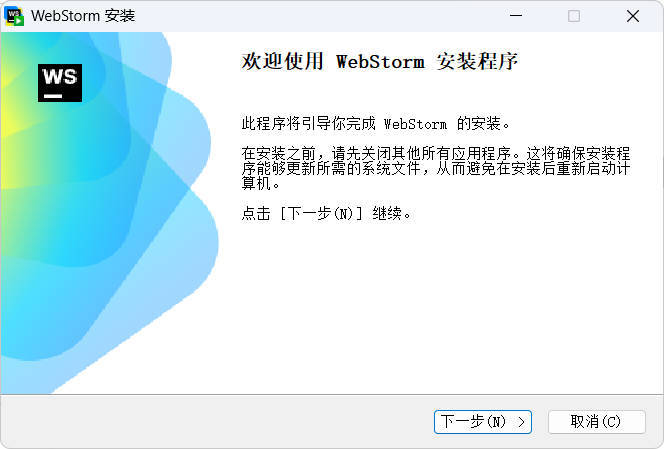
前端开发神器JetBrains WebStorm 2026.2.0高级版 前端开发神器JetBrains WebStorm 2026. 图片1 前端开发神器JetBrains WebStorm 2026. 图片2 软件介绍 JavaScript Web 前端开发神器 JetBrains WebStorm 2025.2.5 x64 中文免费版是 jetbrains 公司旗下一款 JavaScript 开发工具。被广大中国 JS 开发者誉为”Web前端开发神器””最强大的HTML5编辑器””最智能的 JavaSscript IDE”等。与IntelliJ IDEA同源,继承了IntelliJ IDEA强大的JS部分的功能。 强大、轻量、智能的 JavaScript IDE。WebStorm 是一款深受广大程序员喜爱的 JavaScript 开发和 Web 前端开发工具,完美适应各种复杂客户端开发和 Node.js 的服务器端开发。 新版变化 https://www.jetbrains.com/zh-cn/webstorm/whatsnew 安装说明 基于官方安装包封装,解锁完整功能,直装即可无限制使用订阅版。 ﹂安装界面->勾选IDE激活->安装完毕自动本地解锁终身许可授权。 部分产品启动后没有选择中文语言向导,需要启动后手动更改下. 设置Setting -> 搜索Language and region -> Chinese简体中文 ⬇️ 下载地址 下载后请先检查文件完整性,如有问题请在评论区反馈