找到 10 篇与 Go 相关的结果
-
 SamWaf {card-default label="? 项目信息"} ? 项目名称:SamWaf ? 开发语言:Go ⭐ Star数:724 | ? Fork数:200 ? 开源协议:Apache-2.0 ? 项目地址:https://gitee.com/samwaf/SamWaf {/card-default} 项目介绍 SamWaf开源轻量级网站防火墙,完全私有化部署 项目详情 English | 简体中文 | Español | हिन्दी | العربية | Français | Português | Русский | বাংলা | اردو | 日本語 | Deutsch | Bahasa Indonesia | 한국어 项目截图 一款开源轻量级的网站应用防火墙 Release Last commit Docker Pulls Release Downloads Gitee Gitee star Atomgit star GitHub stars License 开发初衷: 【轻量】早期在使用过一些产品基于 nginx,apache,iis 做插件进行防护,但是插件形式耦合度太高了。 【私有化】 后期基本上都是有云防护,而私有化部署针对一般的中大企业能承受,普通小企业公司,小工作室费用有点太高了。 【隐私加密】 网站防护过程中不希望本地数据上云做处理,想做一款涉及的本地信息进行加密,管理端的网络通信进行加密。 【DIY】在这么多年网站维护开发过程中有些特定的功能想加入自己的想法,无法实现。 【感知】如果站长没有用过类似的 waf ,单纯从自己的日志或者是 nginx 、apache 、IIS 等查看信息不方便,不知道到底网站有谁在访问,都请求了什么? 总之,在网站或 API 防护上做一款趁手的兵器,来抵御一些异常情况,确保网站和应用的正常运行。 软件介绍 SamWaf网站防火墙是一款适用于小公司、工作室和个人网站的开源轻量级网站防火墙,完全私有化部署,数据加密且仅保存本地,一键启动,支持 Linux、Windows 64位、ARM64,并提供 Docker 镜像。默认使用内置加密 SQLite 存储、无需安装任何外部依赖,也可按需切换 MySQL / PostgreSQL。 架构 SamWaf架构 界面 SamWaf网站防火墙概览 添加主机 攻击日志 项目截图 项目截图 CC IP黑名单 项目截图 项目截图 IP白名单 LDP 项目截图 项目截图 添加规则脚本日志 选择日志 项目截图 项目截图 日志详情 手动规则 项目截图 项目截图 URL黑名单 URL白名单 项目截图 项目截图 主要功能 基础特性 代码完全开源(Apache 2.0) 完全私有化部署,数据加密后仅保存本地 单文件一键启动,轻量化不依赖三方服务(MySQL/Redis 均为可选) 完全独立引擎,防护功能不依赖 IIS、Nginx 支持 IPV6 流量接入 支持 HTTP/1.1、HTTP/2、HTTP/3(QUIC) 支持 WebSocket 转发 反向代理与负载均衡(加权轮询、IP Hash、最小连接数),后端健康检查自动摘除异常节点 路径规则:按路径反向代理、静态文件、301/302 重定向,可指定后端协议与响应超时 静态站点伺服 TCP/UDP 四层隧道转发(支持 IP 访问控制、时间段控制) 网页缓存加速 HTTP Basic Auth 站点访问认证 支持自定义拦截界面 攻击防护 SQL 注入检测 XSS 跨站脚本检测 RCE 远程命令执行检测 扫描器工具识别 目录穿越检测 文件上传检测(危险扩展名、Webshell 特征、伪装 Content-Type) CC 频率限制 虚假爬虫/Bot 识别(搜索引擎爬虫反向 DNS 验真) 防盗链 CSRF 防护(按站点 Origin/Referer 校验) 敏感词过滤 支持 OWASP CRS 规则集(Coraza 引擎,规则可启停/覆盖) 自定义防护规则,支持脚本和界面编辑 人机验证:点选验证码、Cap.js 工作量证明 仅记录模式:命中攻击只记录不拦截,便于观察调优规则 访问控制 支持 IP 黑/白名单 支持 URL 黑/白名单 地区封禁(内置 ip2region/GeoIP2 离线库,支持 IPv4/IPv6) 联动操作系统防火墙封禁 IP IP 失败次数达到阈值自动联动封禁 支持全局一键配置,支持分网站单独防护策略 数据安全 日志加密保存 通讯日志加密 信息脱敏保存(DLP),支持指定界面数据隐私输出 网页防篡改(基线学习 + 自动恢复) Cookie 安全加固(HttpOnly/Secure/SameSite) SSL 证书 自动 SSL 证书申请以及续签(ACME,支持多 CA 与 EAB) SNI 多证书、多端口 HTTPS SSL 证书批量检测到期情况 证书文件自动加载 运维管理 账号 RBAC 权限、OTP 双因素认证、登录/操作日志 数据统计报表、系统/主机监控 数据保留策略与日志自动分片归档 默认 SQLite(加密),可选 MySQL / PostgreSQL,内置 SQLite→MySQL / SQLite→PostgreSQL / MySQL→PostgreSQL 一键迁移 在线一键升级、零停机滚动重启、版本回退 批量任务、定时任务、数据备份 开放 API 通知告警 支持邮件、钉钉、飞书、企业微信、Server酱、Webhook、Kafka、RabbitMQ、日志文件等通知/投递渠道 使用说明 强烈建议您在测试环境测试充分在上生产,如遇到问题请及时反馈 下载最新版本 gitee: https://gitee.com/samwaf/SamWaf/releases github: https://github.com/samwafgo/SamWaf/releases atomgit: https://atomgit.com/SamSafe/SamWaf/releases 快速启动 Windows 直接启动 SamWaf64.exe 服务形式(安装服务需以管理员身份运行cmd) //安装并启动 SamWaf64.exe install && SamWaf64.exe start //停止并卸载 SamWaf64.exe stop && SamWaf64.exe uninstall Linux Linux 一键自动下载并安装脚本 curl -sSO https://update.samwaf.com/latest/install_samwaf.sh && bash install_samwaf.sh install Linux 一键卸载脚本 curl -sSO https://update.samwaf.com/latest/install_samwaf.sh && bash install_samwaf.sh uninstall Docker docker run -d --name=samwaf-instance \ --restart always \ -p 26666:26666 \ -p 80:80 \ -p 443:443 \ -v /path/to/your/conf:/app/conf \ -v /path/to/your/data:/app/data \ -v /path/to/your/logs:/app/logs \ -v /path/to/your/ssl:/app/ssl \ samwaf/samwaf 更多docker启动上面的解释 https://hub.docker.com/r/samwaf/samwaf 标签 latest :最新正式版本(建议生产使用) beta: 最新测试版本(可以在测试体验最新特性,或修正特定bug) 命令行工具 命令说明install / uninstall安装 / 卸载系统服务start / stop / restart启动 / 停止 / 重启服务rolling-restart零停机滚动重启(切换 Worker,业务不中断)resetpwd重置管理员密码resetotp重置安全码(OTP)repairdb修复损坏的数据库execsql在指定数据库上执行 SQL 语句migratedb离线迁移数据库 SQLite → MySQL / SQLite → PostgreSQL / MySQL → PostgreSQL(--dry-run 只做预估,--force 强制覆盖)rollback回退到历史备份版本示例:SamWaf64.exe resetpwd(Linux 对应 ./SamWafLinux64 resetpwd) 启动访问 http://127.0.0.1:26666 默认帐号:admin 初始密码:全新安装会自动生成随机密码并保存到 data/initial_password.txt(存量安装沿用原密码;请首次登录后立即修改) 升级指南 注意:升级过程会终止服务,请在闲时进行升级。 自动升级 如有新版本页面会弹出升级框进行确认即可发起升级,升级完毕后,页面会自动刷新。 手动升级 对于直接启动方式 关闭应用,下载最新程序替换,再手工启动就可以了。 对于以服务形式 1.先暂停服务 windows: SamWaf64.exe stop linux: ./SamWafLinux64 stop 2.替换最新应用文件 3.启动 windows: SamWaf64.exe start linux: ./SamWafLinux64 start PS:windows服务形式升级时候貌似会触发360、火绒规则导致无法正常替换新文件。此时可以手工替换。 熟悉这方面的朋友可以帮看下正确方式怎么处理。 在线文档 在线文档 代码相关 代码托管 gitee https://gitee.com/samwaf/SamWaf github https://github.com/samwafgo/SamWaf atomgit https://atomgit.com/SamSafe/SamWaf 介绍和编译 How to compile 编译说明 在线编译手册: https://doc.samwaf.com/dev/ 已测试支持的平台 已测试支持的平台 其它信息 更新IP数据库 测试效果 测试效果 安全策略 安全策略 问题反馈 当前 SamWaf 还正在不停迭代,欢迎大家反馈问题、提出意见 gitee issues github issues atomgit issues 邮件反馈:samwafgo@gmail.com 微信公众号 项目截图 Star 历史趋势 Star History Chart 许可证书 SamWaf 采用 Apache 2.0 license. 详细见 LICENSE . 第三方软件使用声明,见ThirdLicense 贡献代码 感谢以下小伙伴对本仓库的贡献! 项目截图 ⬇️ 下载地址 下载后请先检查文件完整性,如有问题请在评论区反馈
-
uniterm {card-default label="? 项目信息"} ? 项目名称:uniterm ? 开发语言:Go ⭐ Star数:130 | ? Fork数:30 ? 开源协议:Apache-2.0 ? 项目地址:https://gitee.com/ys-l/uniterm {/card-default} 项目介绍 一款轻量级一站式终端软件,支持 SSH、RDP、VNC、SFTP、数据库、K8S 等 30 余种协议。内置可自主执行的 AI Agent,规划并执行多轮 Shell 命令。 项目详情 项目截图 uniTerm 一款轻量级一站式终端软件,支持 SSH、RDP、VNC、SFTP、数据库、Kubernetes 等 30 余种协议内置可自主执行的 AI Agent,规划并执行多轮 Shell 命令 ? 软件首页 | ? 用户手册 | ? GitHub | ? Gitee English | 简体中文 目录 功能特性 支持的协议 界面截图 下载安装 使用流程 技术栈 从源码构建 项目结构 路线图 欢迎 Star 反馈与贡献 开源协议 功能特性 全功能终端 远程终端、本地 & 串口终端、文件传输、远程桌面、数据库、容器、服务器监控 —— 覆盖全部远程访问场景。 远程终端 — SSH / Telnet / Mosh / Raw TCP,密码/私钥认证;含 SSH 隧道端口转发(任意连接可经 SSH 跳板访问) 本地 & 串口终端 — PowerShell / CMD / Git Bash / WSL,以及串口连接(波特率等参数、本地回显) 文件传输 — SFTP / SCP / FTP / FTPS / SMB / WebDAV / S3 / Zmodem,双栏浏览、鼠标拖拽上传下载,SSH 内 rz/sz 远程桌面 — RDP(Windows 远程桌面)、VNC(Linux 远程控制)、SPICE(KVM/QEMU 虚拟机)、X11(X Window 图形界面转发) 数据库客户端 — MySQL / PostgreSQL / Oracle / SQL Server / rqlite / Redis / MongoDB / Elasticsearch 容器 — Kubernetes / Docker / Podman / nerdctl (containerd) / WSLC 服务器监控 — CPU/内存/磁盘/网络、进程、端口、网卡实时监控 AI 助理 自主执行的 AI Agent,独立规划并执行多轮 Shell 命令,直接在终端中完成复杂任务。 自主多轮执行 — AI Agent 能够自主规划、执行、观察结果并迭代,在多轮 Shell 命令中无需人工干预即可完成复杂操作。 大模型集成 — 侧边栏对话,兼容 Anthropic / OpenAI 协议,支持 Claude、GPT 及其他兼容模型。 灵活的执行模式 — 提供免确认、仅高危确认、写操作确认、全部确认四种模式,自主权由你掌控。 对话持久化 — 会话聊天记录按标签页保存,重新打开应用后历史记录仍然保留。 终端智能协作 — AI 命令直接在当前终端标签页中执行,支持固定到指定标签页或跟随当前激活终端。分屏中人与 AI 各司其职,同屏协作互不干扰。 智能补全 — SSH 终端输入时,根据历史命令和 AI 能力实时提供命令补全建议。 技能与命令 — 可复用的 Skill 工作流与 Prompt 命令模板,输入 / 即可挂载触发,AI 也可自行沉淀新技能。 个性化能力 连接管理、自由分屏、云端同步、主题定制 —— 你的终端由你掌控。 连接管理器 — 分组管理服务器连接,快速搜索、一键新建连接,支持批量操作。 自由分屏 — 将终端标签拖动到内容区即可自由分屏,任意组合成工作区,并可拖拽面板边缘调整大小与布局。 云端同步 — 基于 GitHub、GitLab、Gitee 去中心化个人私有仓库加密自动同步配置,无需担心数据丢失泄露,多设备无缝衔接、随处接续工作。 自定义快捷键 — 自由绑定各项操作的键盘快捷键,实现全键盘操作,双手不离键盘。 主题 — 28 款终端主题、3 款界面主题(暗色 / 深蓝 / 浅色)、自定义背景图片。 国际化 — 支持简中、繁中、英、日、韩、德、西、法、俄等 9 种语言界面。 支持的协议 类别协议说明终端SSH远程服务器命令行管理终端Telnet老旧设备、嵌入式系统的远程终端终端Mosh高延迟、断续网络下的服务器连接终端Serial串口终端连接,支持波特率等参数配置终端Raw TCP原始 TCP 控制台会话,直连主机端口收发原始字节流终端LocalPowerShell、CMD、Git Bash 等本地 Shell终端WSL通过本地终端打开已安装的 WSL 发行版(仅 Windows)文件传输SFTP服务器文件管理与传输文件传输SCP兼容旧版 SSH 服务器的降级方案,适用于不支持 SFTP 协议的服务器文件传输FTP / FTPS网站空间、NAS 文件传输文件传输SMBWindows 共享文件夹、NAS 文件访问文件传输WebDAVWebDAV 服务器文件管理文件传输S3兼容 Amazon S3 的对象存储文件传输ZmodemSSH 终端内 rz/sz 命令传输文件远程桌面RDPWindows 服务器远程桌面管理(仅 Windows)远程桌面VNCLinux 服务器远程控制远程桌面SPICEKVM/QEMU 虚拟机管理远程桌面X11X Window 图形界面转发数据库MySQL兼容 MySQL 协议:MySQL、MariaDB、TiDB 等数据库PostgreSQL兼容 PostgreSQL 协议:PostgreSQL、CockroachDB 等数据库Oracle Database通过纯 Go 驱动连接 Oracle Database数据库SQL Server通过纯 Go 驱动连接 SQL Server数据库rqlite基于 SQLite、Raft 共识的轻量分布式数据库数据库Redis内存键值数据库,可视化键值浏览与编辑数据库MongoDB文档数据库,树形浏览、查询编辑与行内编辑数据库Elasticsearch分布式搜索与分析引擎,支持索引与文档管理容器Kubernetes集群资源浏览与管理、Pod 日志与 exec 终端、性能指标容器Docker容器与镜像管理,支持本机或 SSH 远程主机容器Podman兼容 Docker 的容器引擎,支持本机或 SSH 远程主机容器nerdctl (containerd)containerd 容器管理,支持切换 namespace容器WSLCWindows WSL2 Container 运行时(仅 Windows)Oracle Database 支持基于纯 Go 驱动实现。uniTerm 不随安装包分发 Oracle Database、Oracle Instant Client、OJDBC、Wallet 文件或 Oracle 品牌素材;用户需自行确保其 Oracle 授权、凭据和数据库访问权限合规。 界面截图 项目截图 项目截图 项目截图 项目截图 项目截图 项目截图 项目截图 项目截图 下载安装 前往 GitHub Releases 或 Gitee Releases 下载最新版本: Windows (amd64 / arm64): 安装包 uniterm-windows-*-installer-*.exe,或便携版 uniterm-windows-*-portable-*.zip macOS (Intel / Apple Silicon): 下载 uniterm-darwin-*-*.dmg Linux (amd64 / arm64): 下载 uniterm-linux-*-*.tar.gz、.deb 或 .rpm 关于 Windows 杀软误报:由于本开源软件未购买代码签名证书,未签名的可执行文件可能被部分杀毒引擎(如 Windows Defender)误报拦截。这是 Go/Wails 应用的已知问题(参见 wailsapp/wails#3308)。可在杀毒软件中为其添加排除规则以放行。请务必从 GitHub、Gitee 官方开源渠道下载软件。如仍担心存在病毒,可自行下载源代码在本地构建运行。包管理器安装 # Windows scoop bucket add uniterm https://github.com/ys-ll/scoop-uniterm && scoop install uniterm # macOS brew install --cask ys-ll/uniterm/uniterm # Linux (deb) curl -sLo uniterm.deb https://github.com/ys-ll/uniterm/releases/latest/download/uniterm-linux-amd64-*.deb sudo dpkg -i uniterm.deb # Linux (rpm) curl -sLo uniterm.rpm https://github.com/ys-ll/uniterm/releases/latest/download/uniterm-linux-amd64-*.rpm sudo rpm -i uniterm.rpm运行依赖 Windows: WebView2 运行时(Windows 10+ 已内置,更老的系统需安装) macOS: 无需额外依赖(使用系统自带 WebKit) Linux: libgtk-3-0 与 libwebkit2gtk-4.1-0(多数桌面发行版已自带) 使用流程 SSH 连接 在连接管理器中点击新建连接 填入主机、端口和认证信息(密码或私钥) 点击连接打开 SSH 终端会话 AI 助理 进入设置页面,配置你的 AI 大模型(API 地址、模型和密钥) 打开一个终端标签页(SSH 或本地) 打开 AI 侧边栏对话,输入需求 —— AI Agent 直接在终端中执行命令 SFTP 文件传输 在连接管理器中右键一个 SSH 连接 选择连接 SFTP 在双栏文件管理器中浏览、上传、下载或拖拽文件 技术栈 层级技术桌面框架Wails v3后端Go前端Vue 3 + Pinia + Element Plus终端引擎xterm.jsAI 协议Anthropic Messages API / OpenAI Chat Completions API从源码构建 需要 Go 1.26+、Node.js 20+ 和 wails3 CLI v3.0.0-beta.12(安装:go install github.com/wailsapp/wails/v3/cmd/wails3@v3.0.0-beta.12)。此外,macOS 需 Xcode Command Line Tools,Linux 需 libgtk-3-dev 与 libwebkit2gtk-4.1-dev。 git clone https://github.com/ys-ll/uniterm.git cd uniTerm cd frontend && npm install && cd .. wails3 dev # 开发模式运行 wails3 build # 构建生产版本项目结构 uniTerm/ ├── main.go # 入口文件 ├── app.go # Wails 绑定、LLM API 代理、SFTP API ├── app_*.go # 平台相关实现 ├── backend/ │ ├── session/ # SSH/Telnet/Serial/SFTP/数据库 会话管理 │ ├── database/ # SQL 执行、表结构查询、DSN 构建 │ ├── container/ # Docker/Podman/nerdctl 容器管理 │ ├── k8s/ # Kubernetes 集群管理 │ ├── store/ # 持久化配置(连接、AI、设置) │ ├── sync/ # 云端同步(GitHub/GitLab/Gitee) │ ├── update/ # 自动更新 │ ├── platform/ # 平台抽象层 │ └── log/ # 文件日志 ├── frontend/ │ └── src/ │ ├── components/ # Vue 组件 │ ├── composables/ # 终端组合式函数 │ ├── stores/ # Pinia 状态管理 │ ├── services/ # AI 代理循环、LLM 客户端 │ ├── i18n/ # 国际化翻译 │ ├── types/ # TypeScript 类型定义 │ ├── utils/ # 工具函数 │ └── vendor/ # 第三方库 ├── plugins/ # 插件目录 ├── docs/ # 文档 ├── Taskfile.yml # wails3 构建任务 └── build/ └── config.yml # 构建配置(应用信息、开发模式)路线图 已实现的协议 / 功能与后续计划见 ROADMAP.md,逐版本的更新记录见 CHANGELOG.md。 欢迎 Star 如果 uniTerm 对你有帮助,欢迎点一个 ⭐ Star,这是对项目最大的鼓励,也能让更多人发现它。 GitHub stars Gitee stars 反馈与贡献 本项目为纯个人业余兴趣项目,无商业化及接收赞助计划,欢迎志同道合的朋友一起交流,参与共建。 欢迎通过 GitHub Issues 提交问题、建议或使用反馈,也欢迎通过 Pull Request 贡献代码。由于终端访问场景与环境各异,作者难以覆盖所有场景的验证,如遇到相关问题,欢迎 fork 项目代码参与共建。本项目欢迎 vibe coding。 感谢以下朋友为 uniTerm 贡献代码与改进,以及每一位提交 issue 和建议的朋友,是你们让 uniTerm 变得更好 ❤️ @yuwei5380 @surenwuyuwuqiu @wangxufeng @coderstory @jiayunora @iCarrear @boltomli @kxn @windtear @Sunshow @feuvan @zhangsir1211 开源协议 Apache 2.0 ⬇️ 下载地址 {cloud type="default" title="网盘下载" url="https://gitee.com/ys-l/uniterm/repository/archive/master.zip"} 下载后请先检查文件完整性,如有问题请在评论区反馈
-
Go中文网资深Go工程师第二期 1.jpg 教程介绍 如今,每个主要的云服务提供商都使用 Go 语言编写的核心云基础架构,例如国外的Docker, Etcd, Kubernetes, Prometheus、DropBox等,以及国内的七牛云、腾讯云、滴滴云等。包括越来越多的初创公司和构建现代化软件系统的企业,无数公司正在使用 Go 将自己的工作迁移到云平台上。Go 的应用范围已远远超出了最初的云领域,在海量大数据的分析领域、高性能的金融和工控领域、高并发的2C共享业务场景等等,都能看到 Go 的身影。 学习地址 百度:https://pan.baidu.com/s/1bCZEAsqWmTDo8HS6NdBRXg 天翼:https://cloud.189.cn/t/6jENjeMnmQZ3 微云:https://share.weiyun.com/s9x2s4Ay UC:https://www.yun.cn/s/1fb8c50137714d6aa369ac592598e9cf 文件信息 文件大小: 14211302191 字节 MD5: 03672EF374385BE313CA688B4F36D79E SHA1: 0B6351537B834EDE0FFDD172776238D1CC02E826 CRC32: C524978E 下载后请先检查文件完整性,如有问题请在评论区反馈
-
赵珊珊Go语言汇编视频课程 赵珊珊Go语言汇编视频课程 图片1 课程介绍 本课程由赵珊珊老师倾情打造,旨在深入解析Go语言与汇编语言结合的高级主题。学员将系统学习Go语言底层实现原理,掌握汇编代码优化技巧,为高性能、高并发应用开发奠定坚实基础,助力学员在软件工程领域取得更大成功。 学习地址 百度:https://pan.baidu.com/s/1euMbodo4xkrrGKg2GiyA-Q?pwd=whw3 天翼:https://cloud.189.cn/t/YJjUza3m6Jra(访问码:b0yu) 阿里:https://www.alipan.com/s/qwgeM4DNT2Z 夸克:https://pan.quark.cn/s/80503a2a1892 下载后请先检查文件完整性,如有问题请在评论区反馈
-
难得的Go语言实战开发好课 难得的Go语言实战开发好课 图片1 课程介绍 课程内容涵盖了Go语言的全栈开发技术,从细节入手讲解每一个知识点。整体化的对GO语言进行教学,完成知识点的教学后,更深一步的讲解Golang的框架实操技术,Go语言微服务架构,Golang的图像存储业务实战等。 学习地址 百度:https://pan.baidu.com/s/1EQXJfbLVsCUIh-7-q163Hw 天翼:https://cloud.189.cn/t/UZzUNzbYr6n2 阿里:https://www.aliyundrive.com/s/zL3qKb5Bixx 下载后请先检查文件完整性,如有问题请在评论区反馈
-
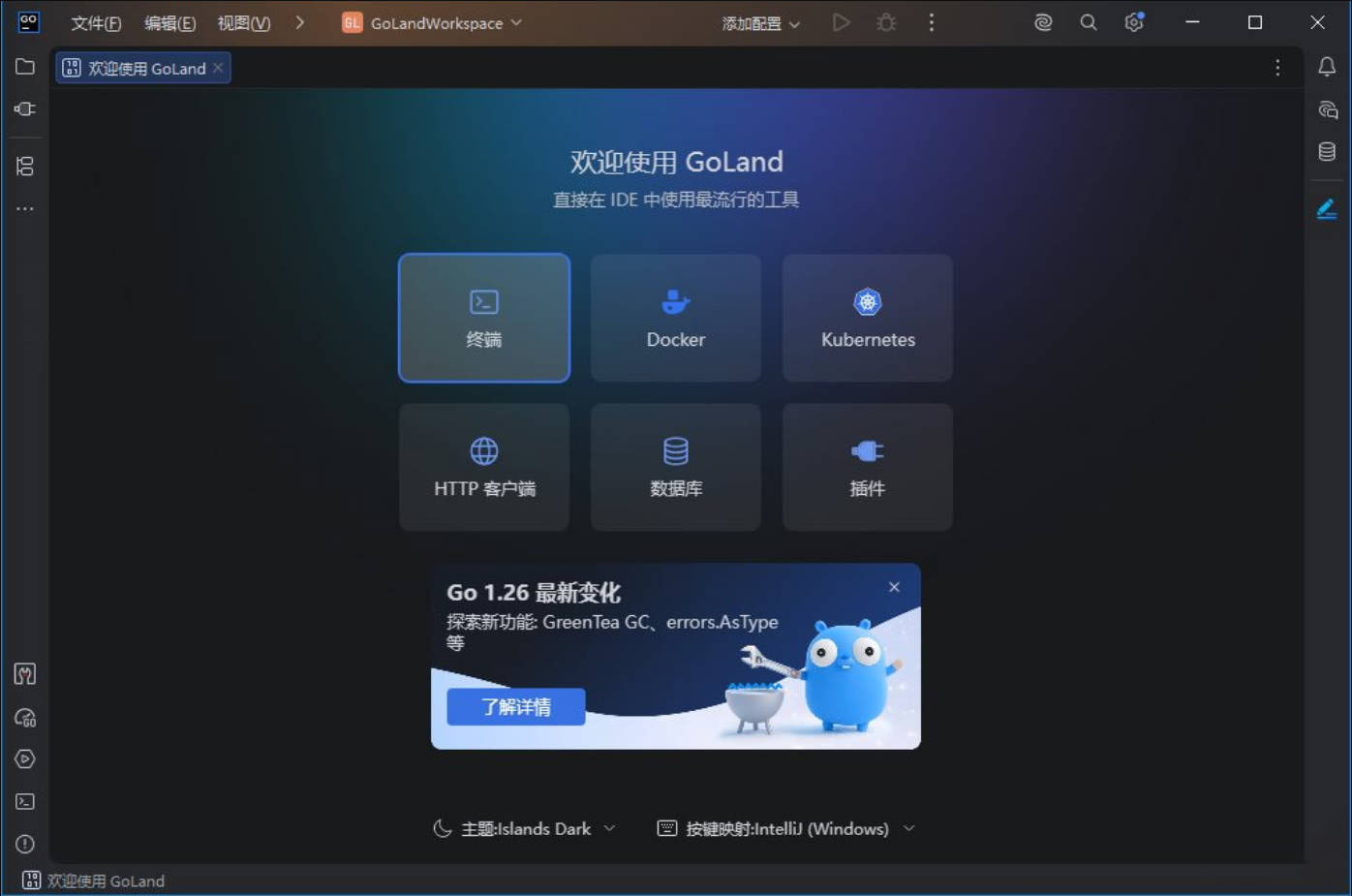
GoLand v2026.2.0 高级版 软件介绍 GoLand 是一款针对Go语言(Golang)的集成开发环境(IDE),集成智能代码分析、自动重构与调试工具,提供智能代码补全、实时错误检测、快速导航、内置测试运行器、Go Modules 支持、数据库访问工具、版本控制、Docker 与 Kubernetes 集成,高效完成从编码、测试、调试到容器化部署的全流程。 软件GoLand v2026.2.0 高级版 图片2 新版变化 RustRove 最新变化 https://www.jetbrains.com/zh-cn/rust/whatsnew/ 特点描述 基于官方安装包封装,解锁完整功能,直装即可无限制使用订阅版。 ﹂安装界面->勾选IDE激活->安装完毕自动本地解锁终身许可授权。 部分产品启动后没有选择中文语言向导,需要启动后手动更改下. 设置Setting -> 搜索Language and region -> Chinese简体中文. ⬇️ 下载地址 下载后请先检查文件完整性,如有问题请在评论区反馈
-
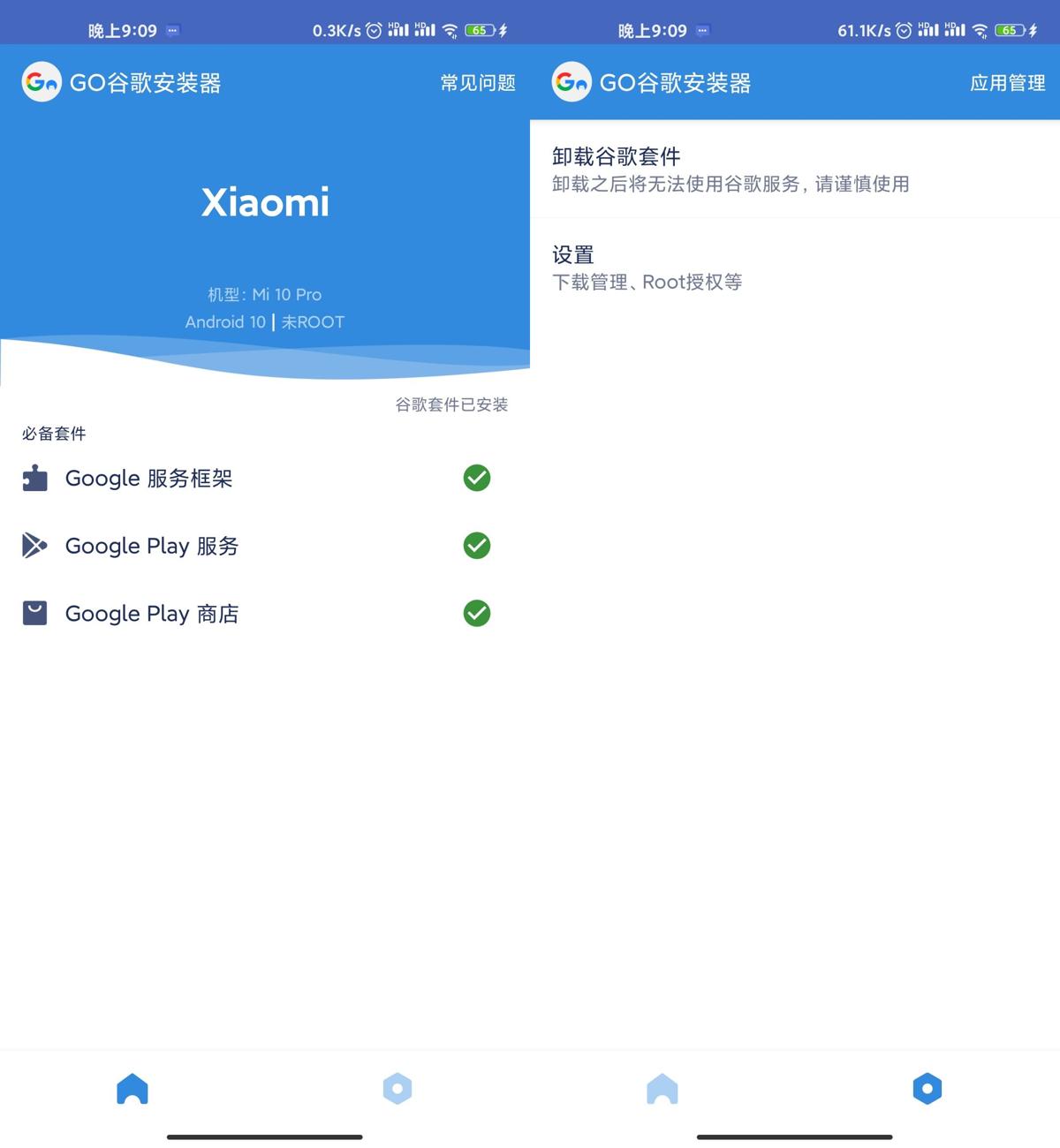
GO谷歌安装器v4.8.3绿化版 软件介绍 这是一款方便好用的谷歌安装器,不ROOT也能搞定谷歌,一键安装谷歌框架、谷歌服务、谷歌商店。已去除广告! 软件GO谷歌安装器v4.8.3绿化版 图片2 ⬇️ 下载地址 {cloud type="weiyun" title="腾讯微云" url="https://share.weiyun.com/mWV51QZT"} {cloud type="tianyi" title="天翼云盘" url="https://cloud.189.cn/t/UjqaUbumiMJv"} {cloud type="default" title="网盘下载" url="https://www.yun.cn/s/d34ce11a10ad4bdeb35597bad3df01fc"} 下载后请先检查文件完整性,如有问题请在评论区反馈